 Adónde
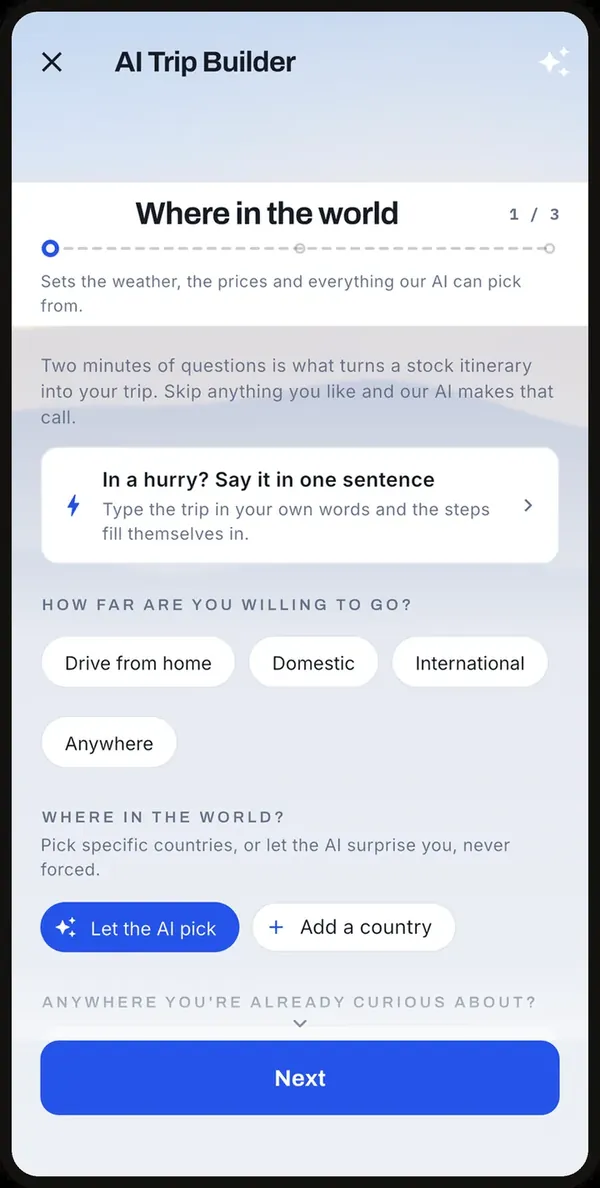
1. Say where, and for how long
A trip starts with two questions: which cities, and how many days in each. That is it. There is an optional page after that for pace, budget and the kind of trip it is, and a "Skip the rest" button on every step. Trips with flexible dates get proposed dates to review before anything is planned. You can also start from your camera roll, and the app works out where and when you went and drafts a stop for each place.
Then the app goes to work, city by city. It reads the real catalogue for each place: the tours that actually run on your dates, the landmarks, the restaurants and the free things to do, with photos and distances. You watch the progress bar move through real steps, not a fake spinner, and a big trip takes about as long as making a coffee.
2. A real day-by-day plan
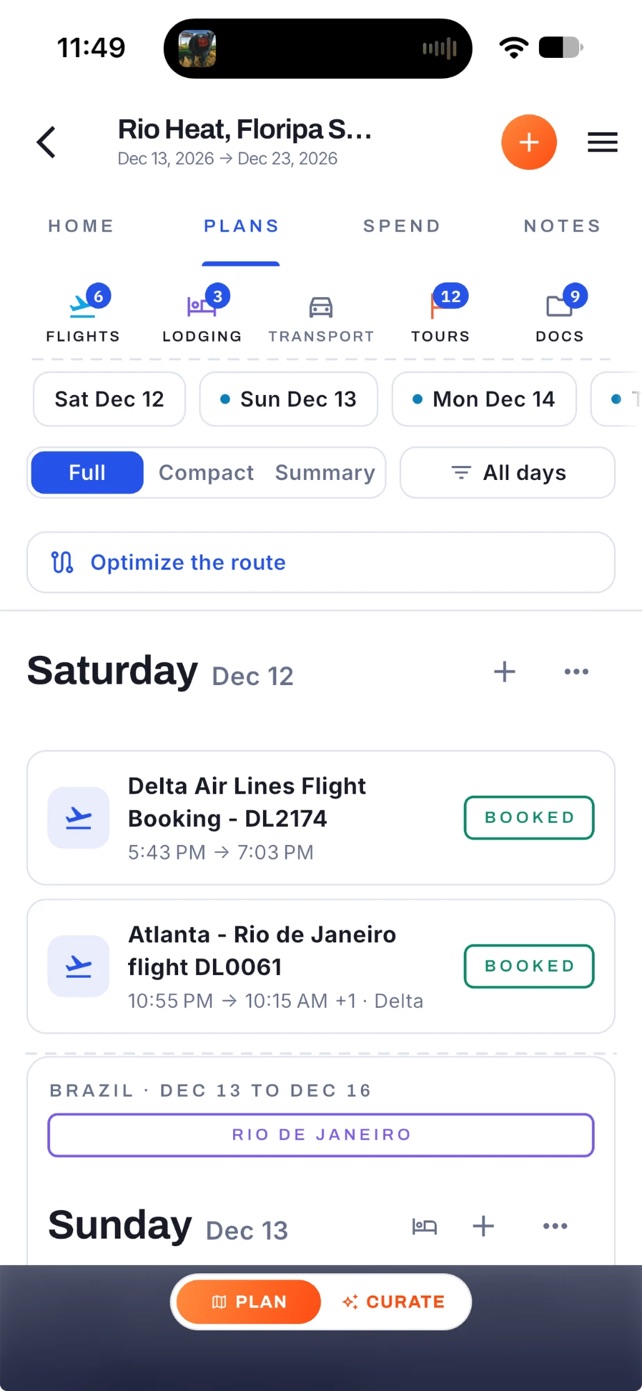
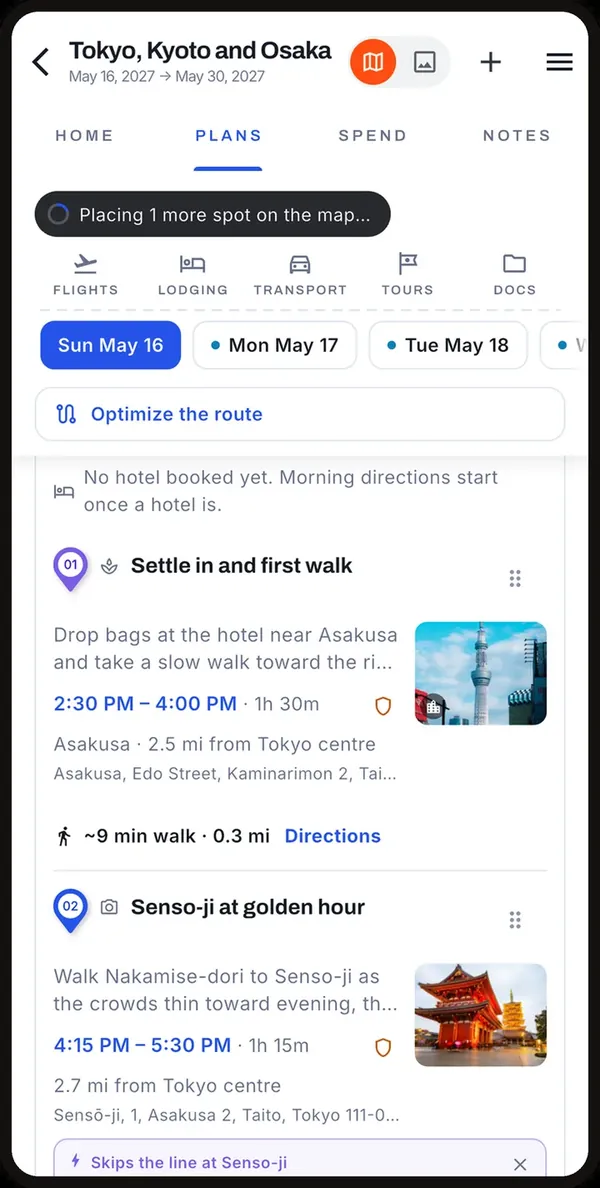
What comes back is a plan you can flip through by day. Each day is deliberately sparse: two or three things that fit together, in an order that makes sense on a map, with the travel time between them. Nothing is stuffed in to look busy. The lists are there when you want more.
Your booked flights sit in the plan as bookends. The first day starts after the plane lands, and the last day ends before it leaves. If you move a city or add a night, only the days you touched are reworked; the rest of the trip stays exactly as you left it.
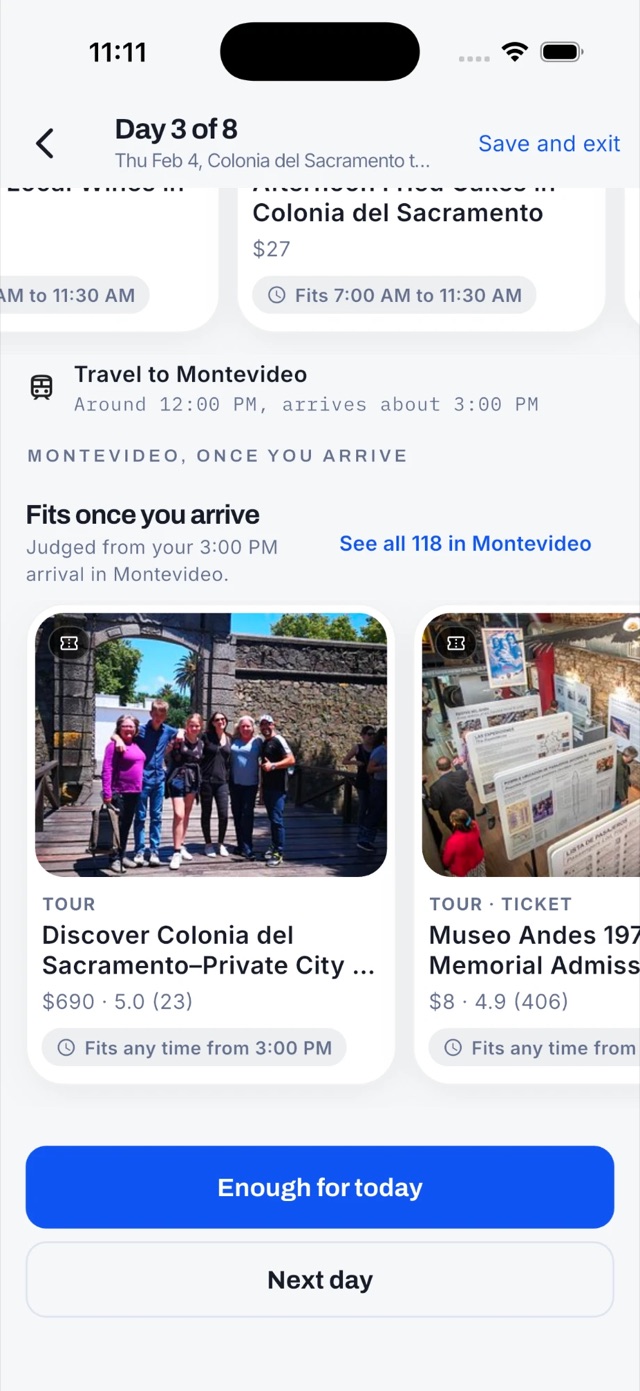
Prefer to build the days yourself? The day planner walks each day with you. It offers only what fits: a tour that runs that morning, a place that is open, something near where you are staying. Pick a card and it lands on the day at a sensible time. When the day has enough, it says so.
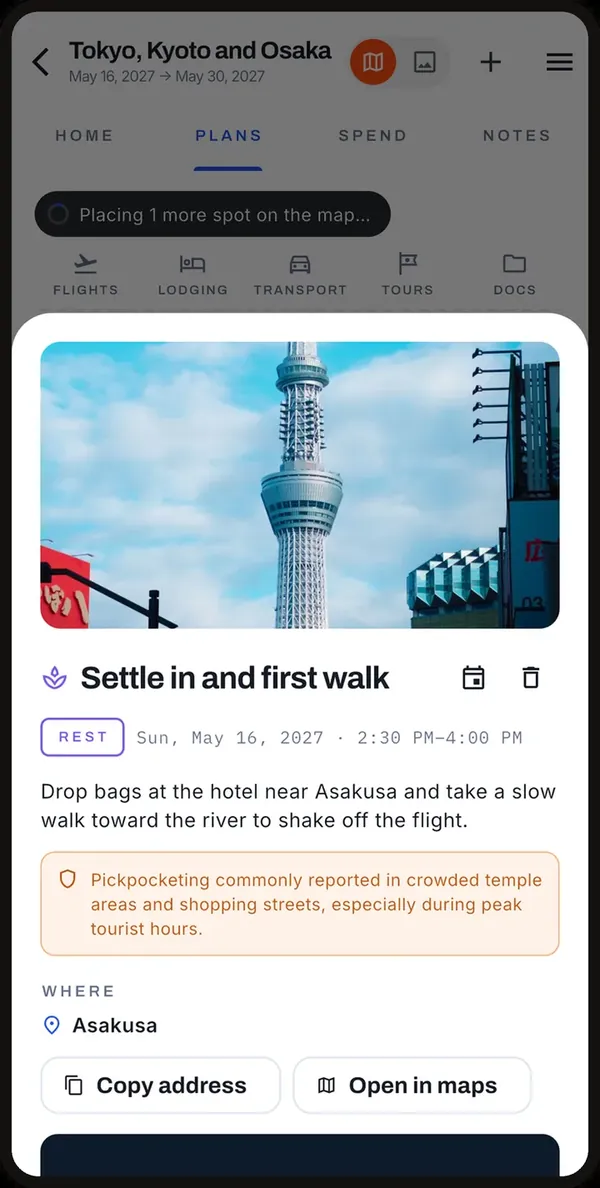
3. Every stop has a menu
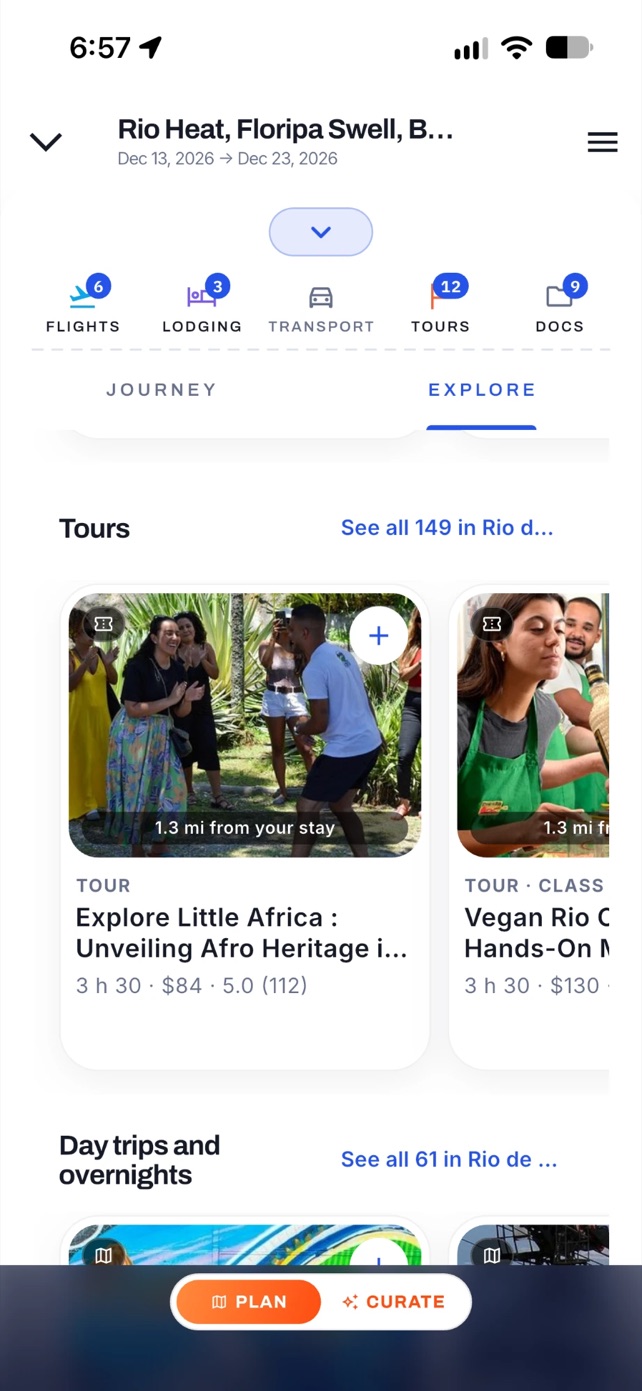
Open any stop and you get its whole menu: tours you can book, places to see, free things to do, and food. Each card shows the price, the days it runs, and how far it is from where you sleep. Add a tour and the app asks whether you are interested, have reserved it, or have booked it, so the plan knows what is real.
The catalogue is live. If you pick a small town the app has never seen, it goes and builds the catalogue for it while you wait, then plans from that.
4. The map is the trip
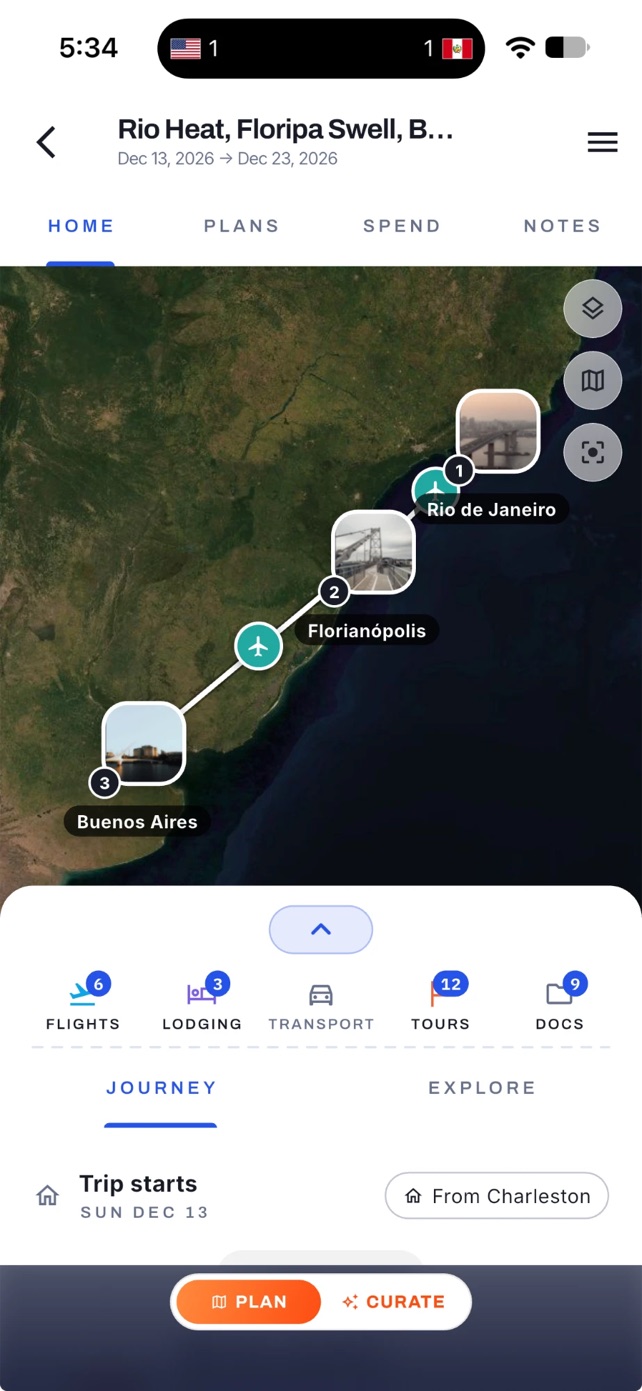
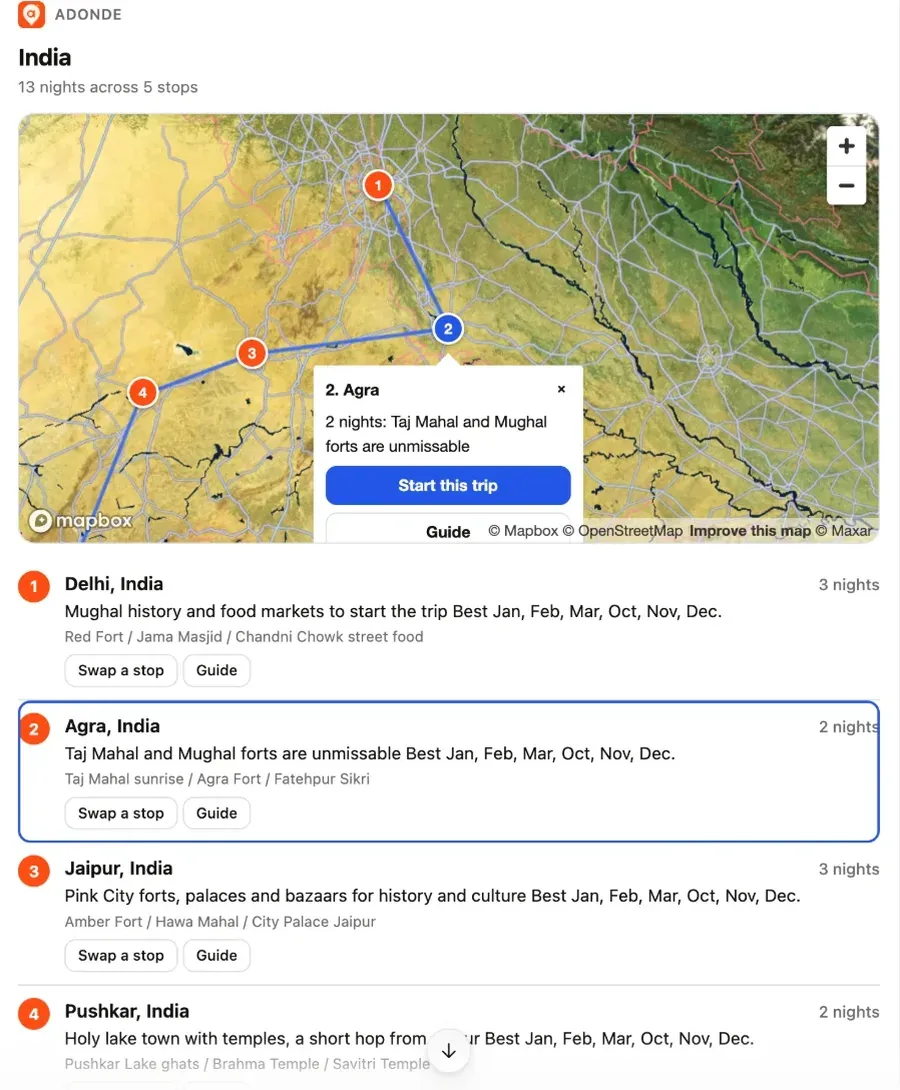
The Home tab draws the whole route on satellite imagery, with a photo pin for every stop in order. Tap a day and the map flies to it. Add a place from anywhere in the app and the pin appears the moment it is written, no leaving the trip and coming back.
5. Book the pieces, keep the receipts
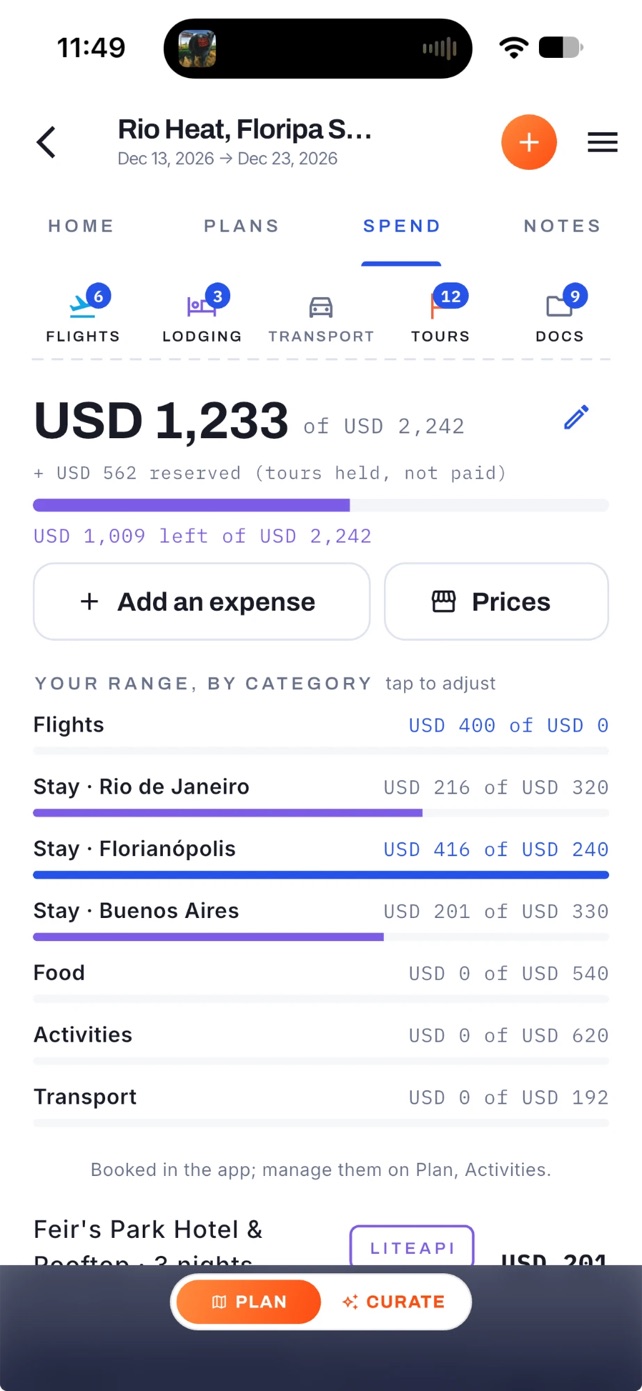
Hotels book inside the app at member rates the public sites cannot show. Flights open our flight partner one leg at a time with your cities and dates filled in. Tours book through Viator. Forward any confirmation email to trips@in.getadonde.com and it files itself on the right trip.
Spend tracks the budget as you go, converts any price on the spot, and splits costs when you are traveling with people. The document vault keeps passports, visas and confirmations on the phone, offline, and the whole itinerary exports to your calendar. Before you land, the Safety tab already has the country's emergency numbers, its travel advisory, and entry requirements, and you can share your live location with the people back home for a few hours or the whole trip.
6. Know the city before you land
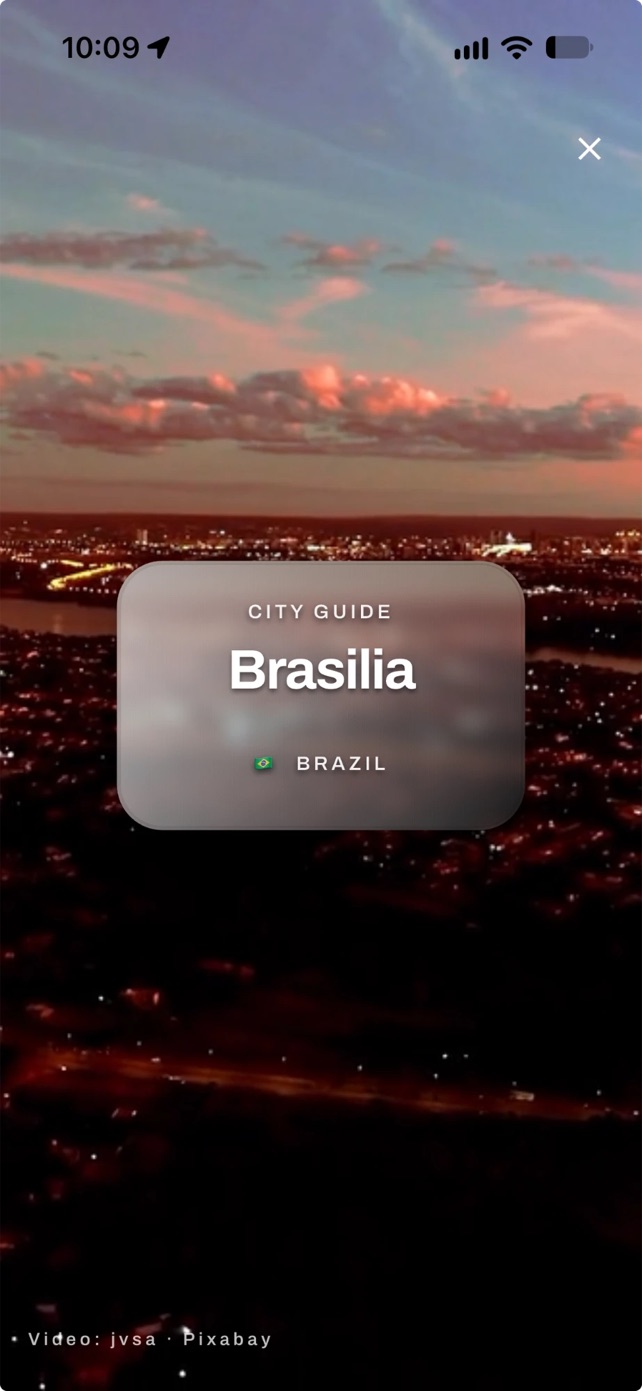
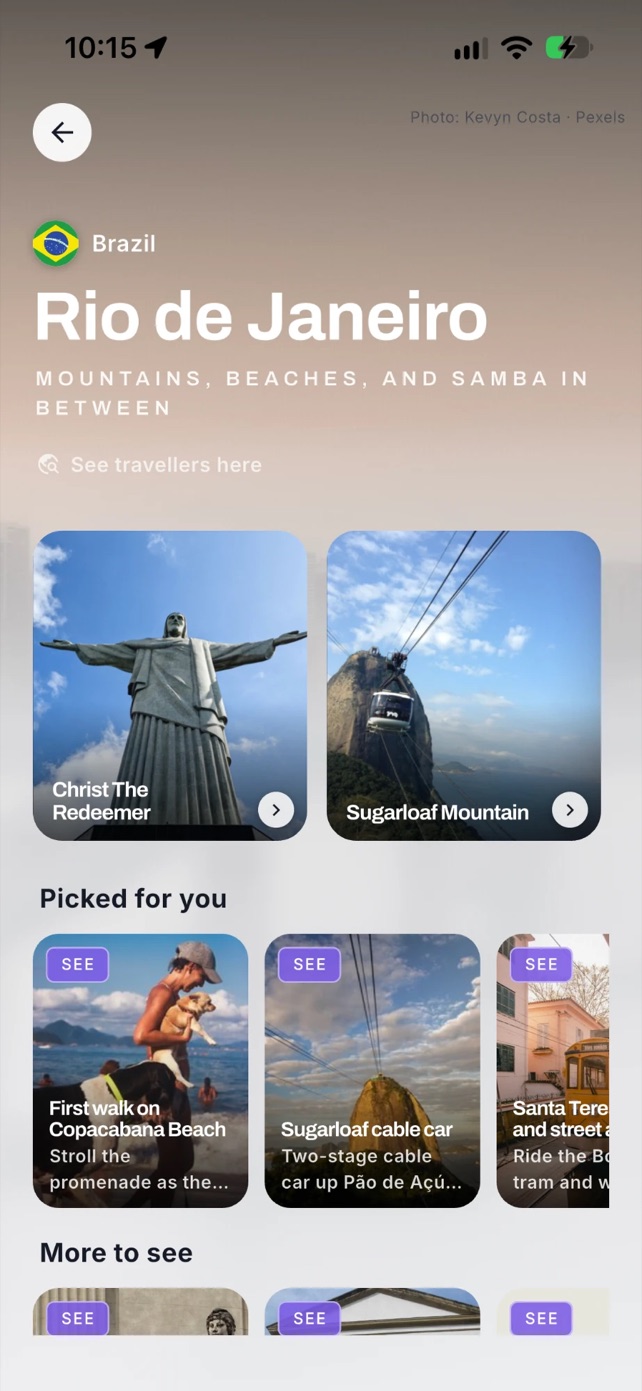
Every city in your trip has a guide, and it opens on a short film of the place while the rest loads behind it: the landmarks, the picks, the tours, the food, and a map. Guides remember what they loaded, so the second visit is instant. There are hundreds of them, and each one is a tap away from planning a trip there.
Every stop also carries a weather and what-to-wear read for your month: the real temperature ranges, what to pack, and how people there actually dress, with forecast notes on each day once the trip is close. And when you arrive, the Now tab leads with Stay Active: a running route around your hotel, a trail nearby, a gym with day access, or a bike to rent, so an active week does not stop because you are away.
7. Come home with a story
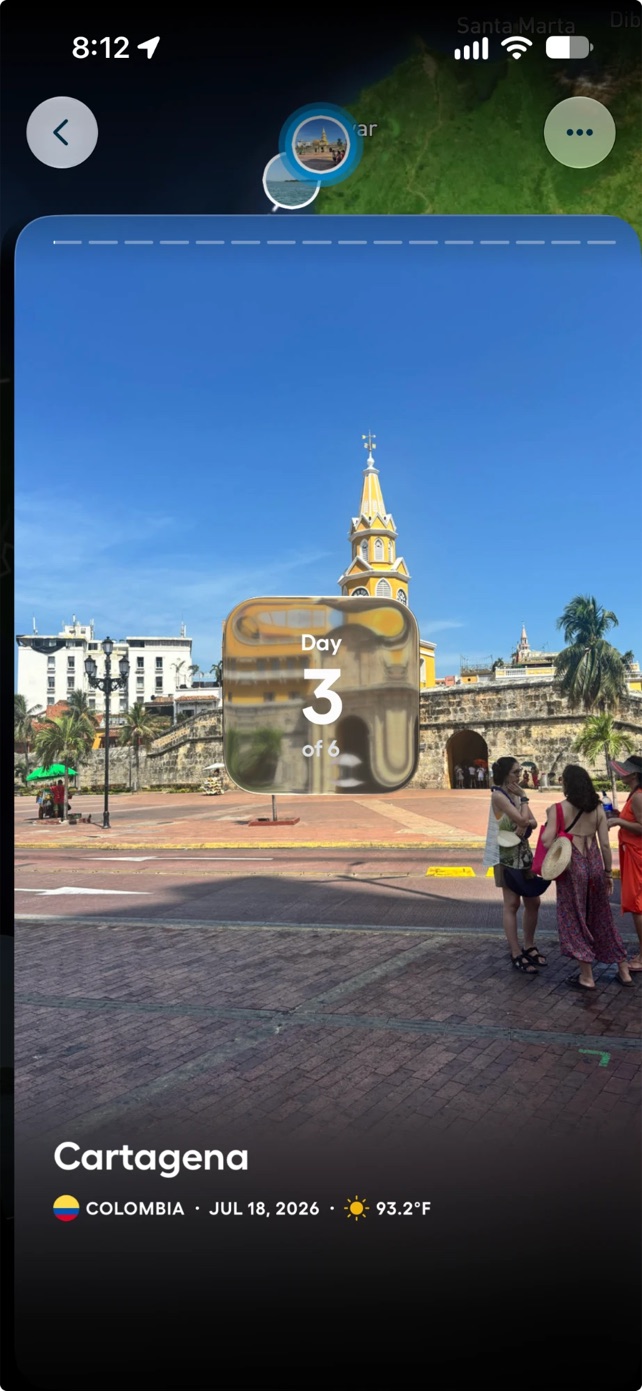
Curate turns the trip into a story: one card per day, your photos, a map that follows the route, narration and music. Play it in the app, post it to your Adónde profile, or export it sized for Reels, Feed or Square and share it anywhere.
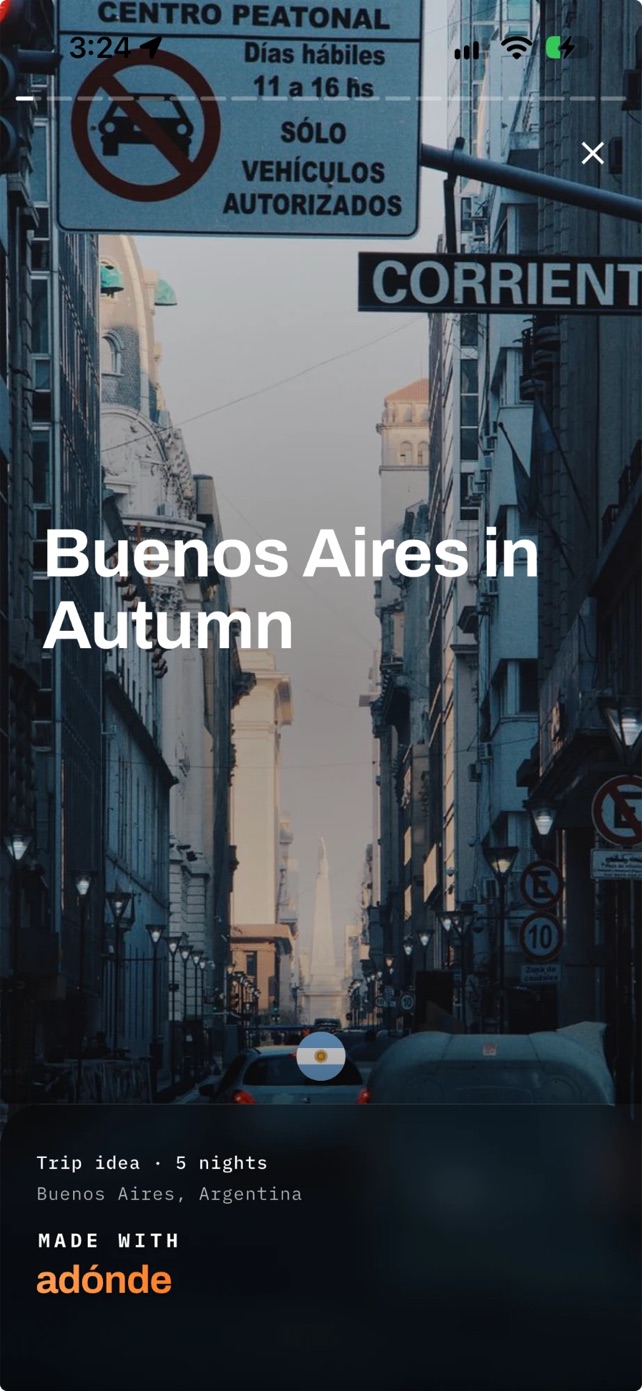
A trip you have not taken yet works too. It posts as a trip idea, and other travelers can open it, follow it, or copy it into their own plan.
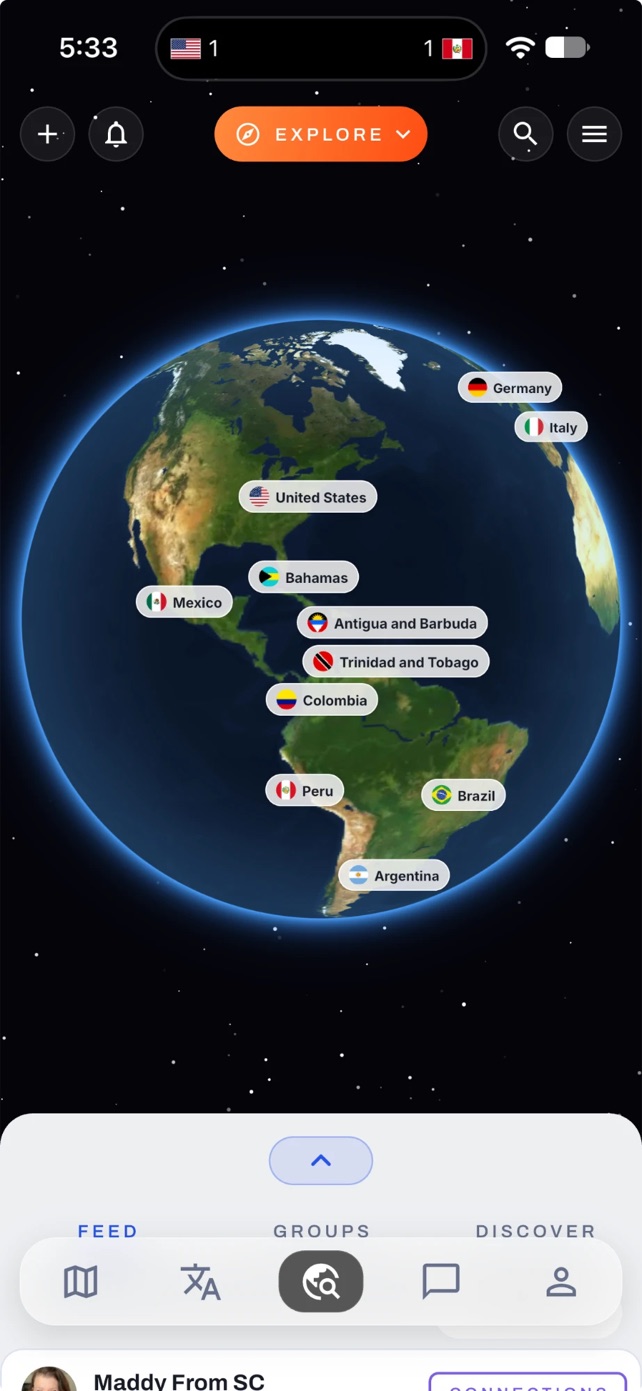
And when you get there, Connect shows who else is. Tap a country, then a city, and read what travelers have posted from it, join a group, or ask someone to connect. The trip is the plan, the map, the bookings, the budget and the story, and it is the same trip in every one of those places.
Screens are from the shipping app in September 2026, on real trips. Nothing was mocked up. Read next: Adónde vs TripIt, Polarsteps and Wanderlog.