 Adónde
Docs / iPhone and Android app
Using the Adónde app
Plan the trip, meet the travelers, book the day. This guide walks through the app on iPhone and Android. The two apps work the same way and your account syncs between them and the web.
Getting started
Sign in
Choose Continue with Apple, Continue with Google, or Continue with email. With email, new accounts get a six-digit code by email to finish, or you can choose a password instead. You can also sign in with your phone number. Forgot your password? Use "Forgot password?" or "Email me a code instead".
You can plan a trip without an account. An account is for the social side (posting, groups, events, reviews, chat) and for syncing trips between devices. If you pick "Not now, keep it local", your trips and documents stay on the phone.
Language
Go to Account, then App language. Menus and buttons switch right away; anything you wrote yourself stays as you wrote it. "Match phone" follows your phone. The app ships in English, Spanish, French, German, Italian, Portuguese, Japanese, Korean, Chinese and Hindi.
Your first trip
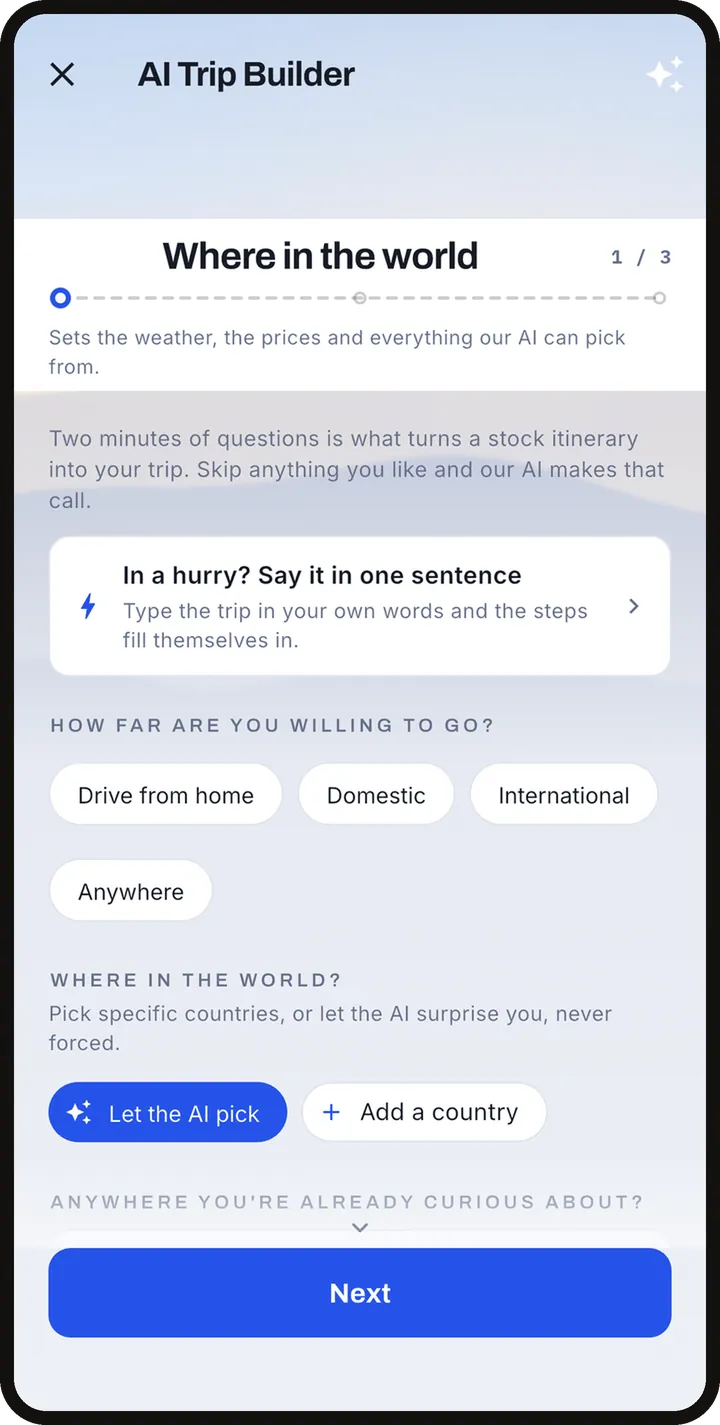
Open the Plan tab and tap New trip. You can build a trip by hand (name, dates, places) or let the AI trip builder draft it. The first time, a short guided walkthrough points out each tab; it can be muted, skipped, and replayed from the trip menu under Replay walkthrough.
The bottom bar has five tabs: Plan, Translate, Connect, Messages and Account. On the web, Book also has its own tab.
The Plan tab
Trips, Activities, Book
Plan has three parts: TRIPS (your trip list), ACTIVITIES (everything you saved or booked, filtered by future, past, canceled and bookmarked) and BOOK (covered in the next section).
The AI trip builder
Give it your dates or a rough time, where you want to go or the kind of trip, your budget and how many people are going. It can ask what you enjoy to learn your style, then it lays out each day from real tours and places for your dates, in an order that makes sense on a map and timed around when your flight lands. It also sets up a budget by category, a to-do list and a Trip brief you can reread on the Plans tab. You review the result and accept or tweak it, and it becomes a normal trip you can edit.
Building a big multi-city trip can take a minute or more. You can leave it building in the background and you get a notification when it is ready to review. Your first AI-built trip is included on the free plan; see Traveler+ below.
Inside a trip
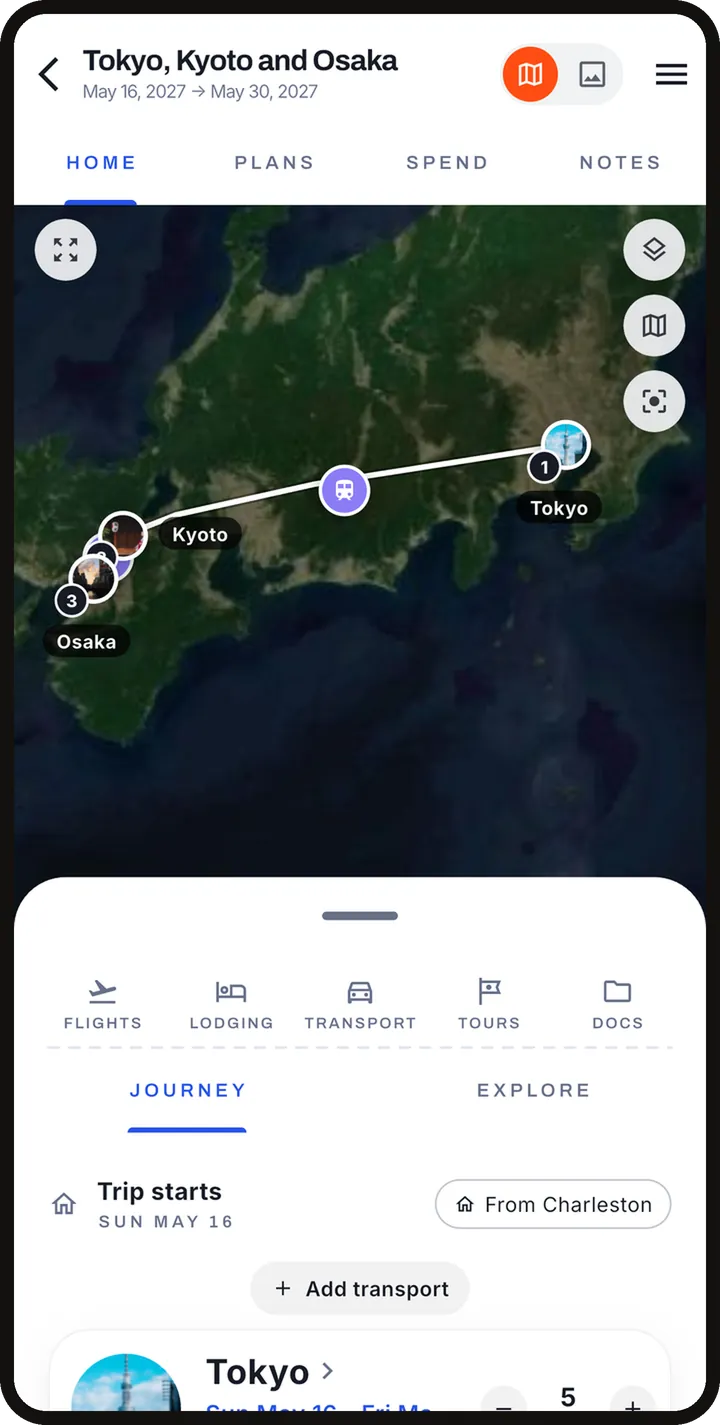
Open a trip for four tabs: HOME (called LIVE while the trip is under way), PLANS (the itinerary), SPEND (expenses against your budget, with a currency converter) and NOTES (to-do lists and a journal). A toggle at the top right switches between Plan (your schedule and map) and Curate (browse and edit picks). The trip menu has Ask AI, to talk to the assistant about this trip.
The itinerary, day by day
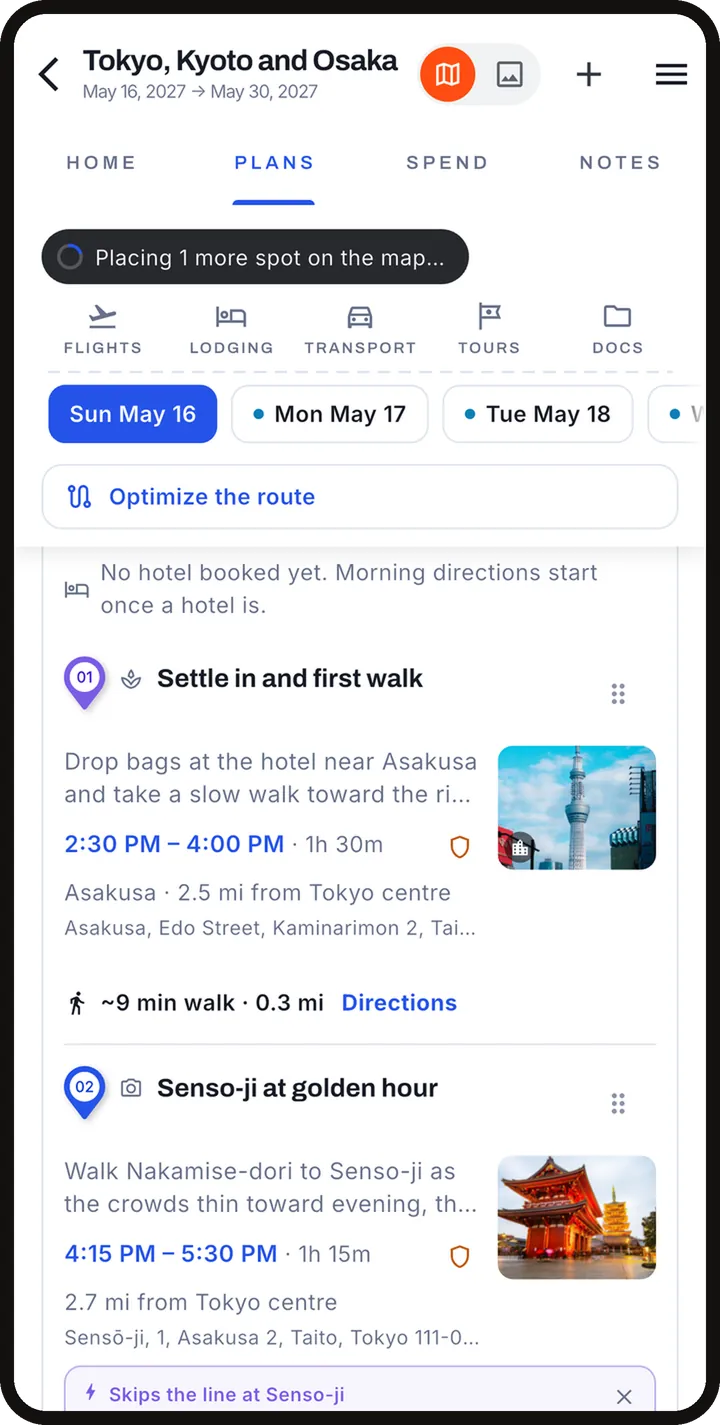
Plans shows each day grouped by stop, with timed blocks and honest travel time between them. A map shows numbered pins in day order. Tap a city name to focus the plan and map on that stop.
Adding, moving and removing stops
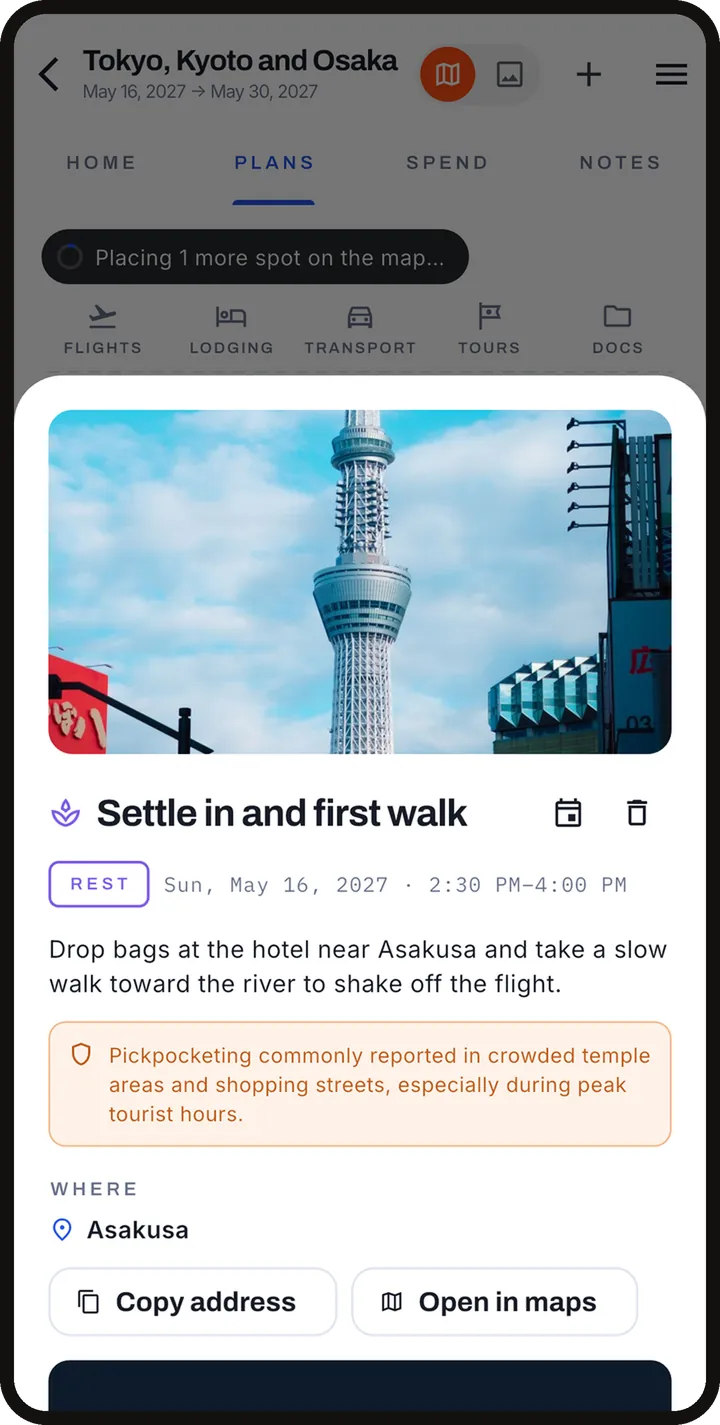
- Tap a block to change its time, day, title or notes. Drag blocks between days, or into the tray of things with no time yet. Swipe to remove one.
- Add things from the + button, from suggestion cards (paid tours and free local ideas, each addable or dismissible), or ask for ideas for a day from its header.
- When you move a city or add a night, only the days you touched are reworked.
- The day planner walks a day with you and offers only what fits.
Blocked time
Block off time for a wedding, a work call or a day to yourself. Blocked time is never moved or scheduled over, including when the plan is reworked.
Rework with AI
If dates, budget or party size change, or a flight now lands later, ask the app to rework the plan. Booked items, blocked time and tours you added are kept, and the previous version can be restored from History.
Trip from photos
Build a past trip from your camera roll: the app scans your recent photos on the device, groups them into likely away-from-home trips, and lets you check each stop before it becomes a trip. Nothing leaves your phone until you tap Create trip on a candidate.
Export
From the trip you can export the itinerary as an Excel sheet, a plain CSV sheet or a calendar (.ics) file.
Group trips
- Invite companions, even before the trip is built. Once they accept, they see the trip and can work on the itinerary, to-dos, expenses and activities.
- Private budgets: money stays personal on a shared trip. Each person has a color.
- Busy blocks: other members' committed time shows as a colored block, without showing their details.
- Proposals: a change to a shared plan is proposed, and members accept or decline. The card shows the tally.
- Other members get one notification per burst of changes, not one per tap.
Book
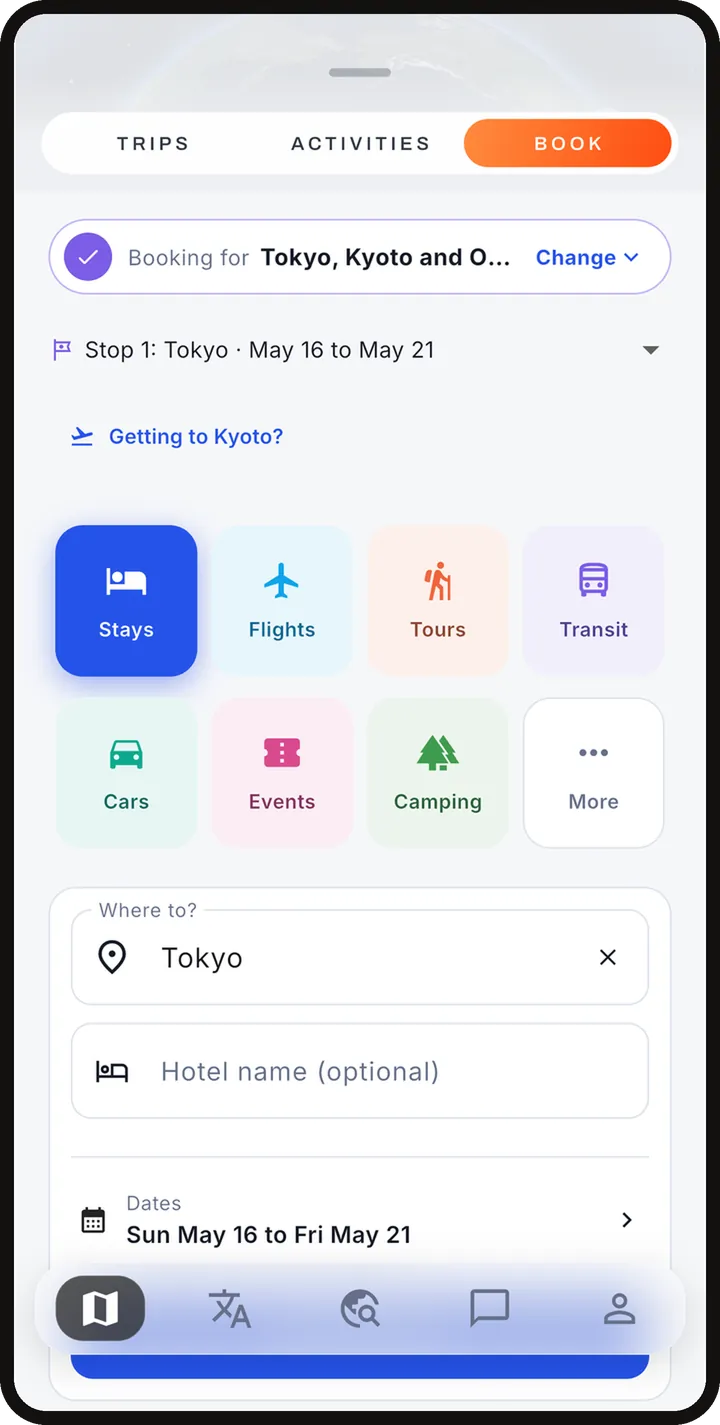
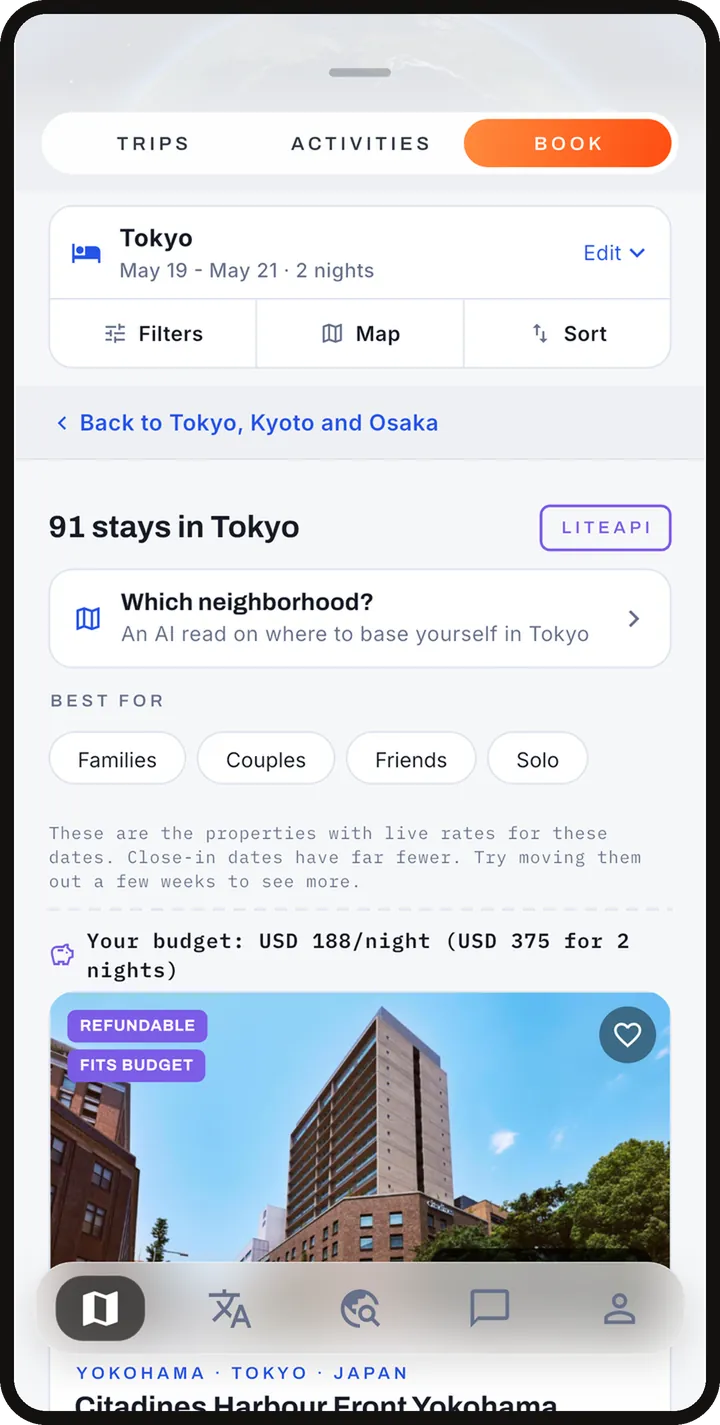
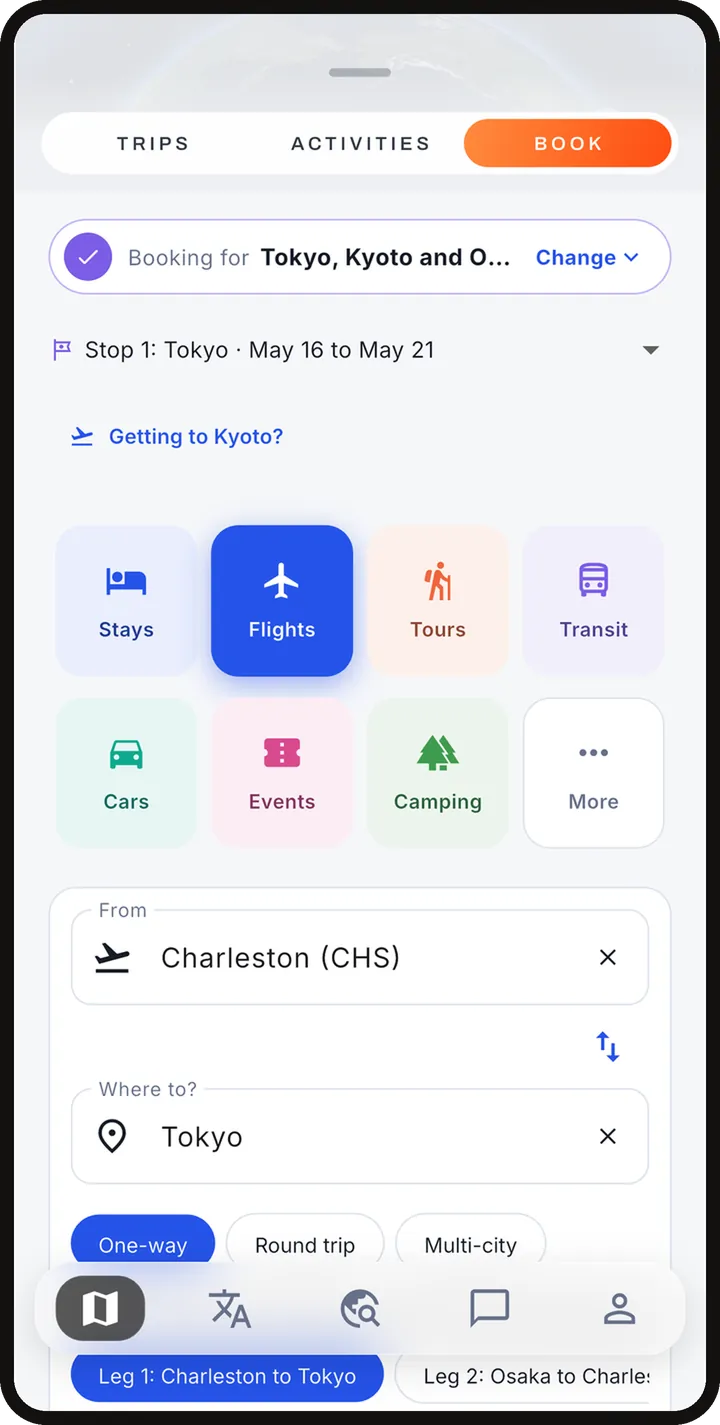
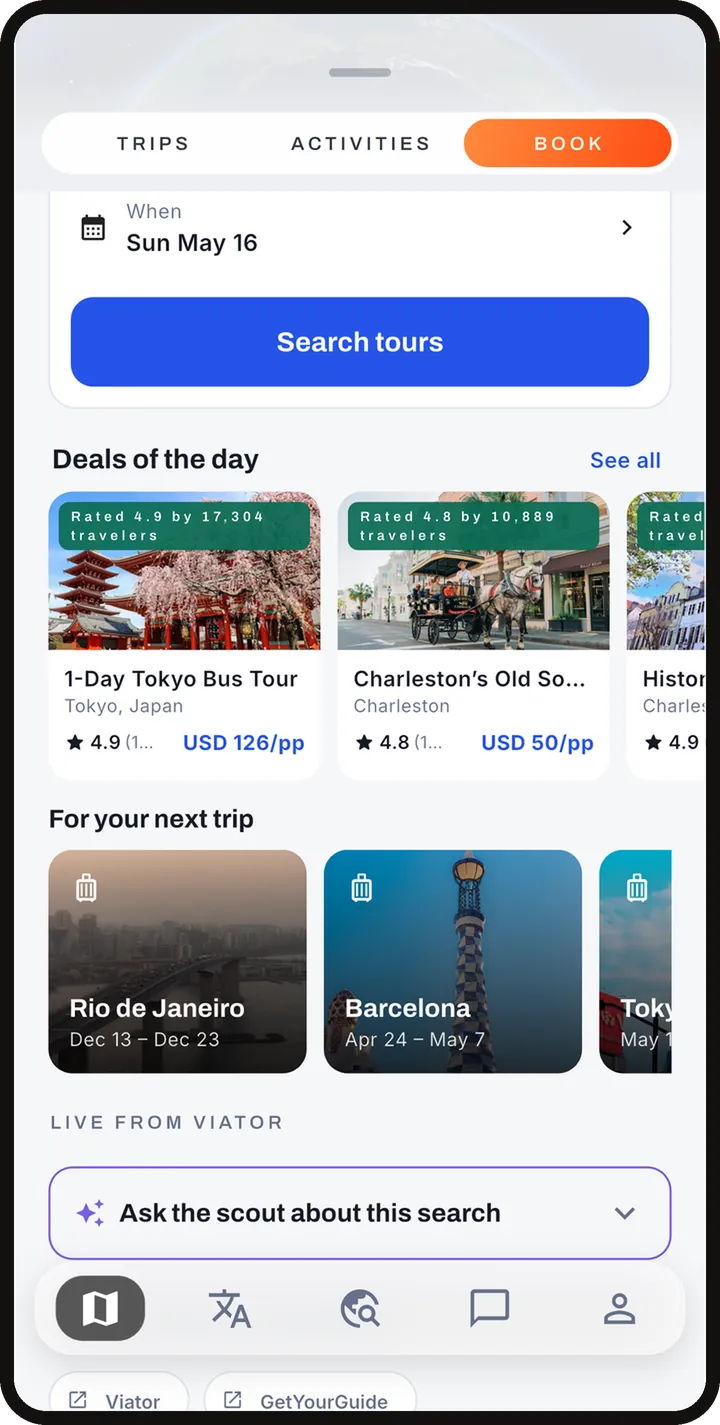
Book sits inside the Plan tab on the phone and has its own tab on the web. Use "Booking for" above the search to pick a trip: whatever you book then files into that trip's documents, spend and itinerary. "Just browsing" keeps a search loose.
Hotels
Live nightly rates with photos, amenities and a map. Each hotel card says how far it is from the beach, the landmarks and the neighborhood you searched. Filter by price, star rating, amenities and what the stay is best for: families, couples, friends or solo. Heart a stay to shortlist it; compare shortlisted stays side by side for the same dates. An "Also search elsewhere" row links the same search on other sites so you can check.
Flights
Search one-way, round trip or multi-city with a cabin and traveler count, and see cheap dates around yours. Cities with several airports are priced together and each result names its airport. Booking a flight opens our flight partner's website with your search filled in, and you pay there. Forward the confirmation email to trips@in.getadonde.com and it files itself onto the right trip.
Tours
Tours come from Viator with photos, ratings, prices and free-cancellation flags. Adding a tour to a day only offers days it actually runs and uses its published start times. Adding or reserving a tour in Adónde does not hold a spot or take payment; use the tour's booking link, then mark the activity Booked so the trip knows.
Other categories
Book also covers transit, cars, event tickets and golf, mostly as search and hand-off links to the provider.
Deals, price watches and flight monitoring
- Deals: a daily feed of price drops and good fares that opens a prefilled search, with an optional deals email.
- Price watch: put a watch on a hotel or fare. Every morning you get one summary (a notification and an email) of how watched prices moved. No watches, no email. A WATCHING chip in Book lists everything you are tracking.
- Flight monitoring: for a flight filed on your trip, the app alerts you to schedule changes (Traveler+).
What is booked where, and who the merchant is
Adónde finds and prices things; the supplier sells them and is the merchant of record. Hotels are sold through our accommodation supplier, flights through our flight partner, and tours and experiences through Viator. The merchant issues refunds and holds your reservation.
Open Manage bookings from the Plan tab. It names who holds each booking and what you can do. Hotels booked through Adónde can be cancelled there (it shows the cost of cancelling before you confirm) and, where the new dates cost the same or less, changed. Flights and tours are changed or cancelled with the airline, flight partner or operator, using the booking reference shown.
Translate
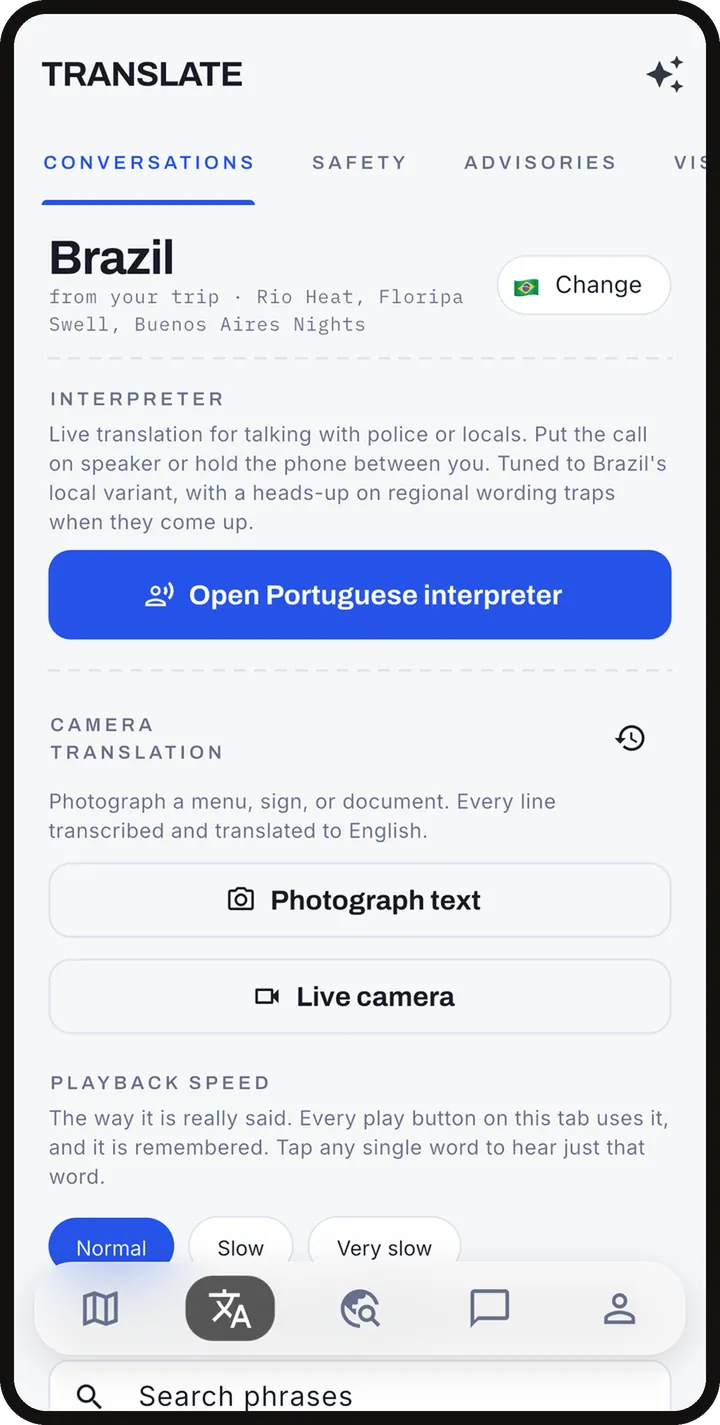
- Live interpreter: a two-way spoken conversation. You speak, the app translates and can say it aloud; the other person replies and you see it in your language. Each exchange shows both versions, a pronunciation guide where useful, and a caution when a phrase means something different by region. Traveler+.
- Camera translation: point the camera at a menu or sign, or pick a photo, to translate the text. Saved translations are kept on your phone. Traveler+.
- 150 offline phrases: five everyday situations of 30 phrases each, stored on the phone and usable with no signal. Traveler+.
- Regional starter phrases: a starter phrasebook with local slang and common traps, for example words that are fine in one country and rude in the next.
Offline speech uses your phone's own voice; the natural AI voice needs a connection.
Connect
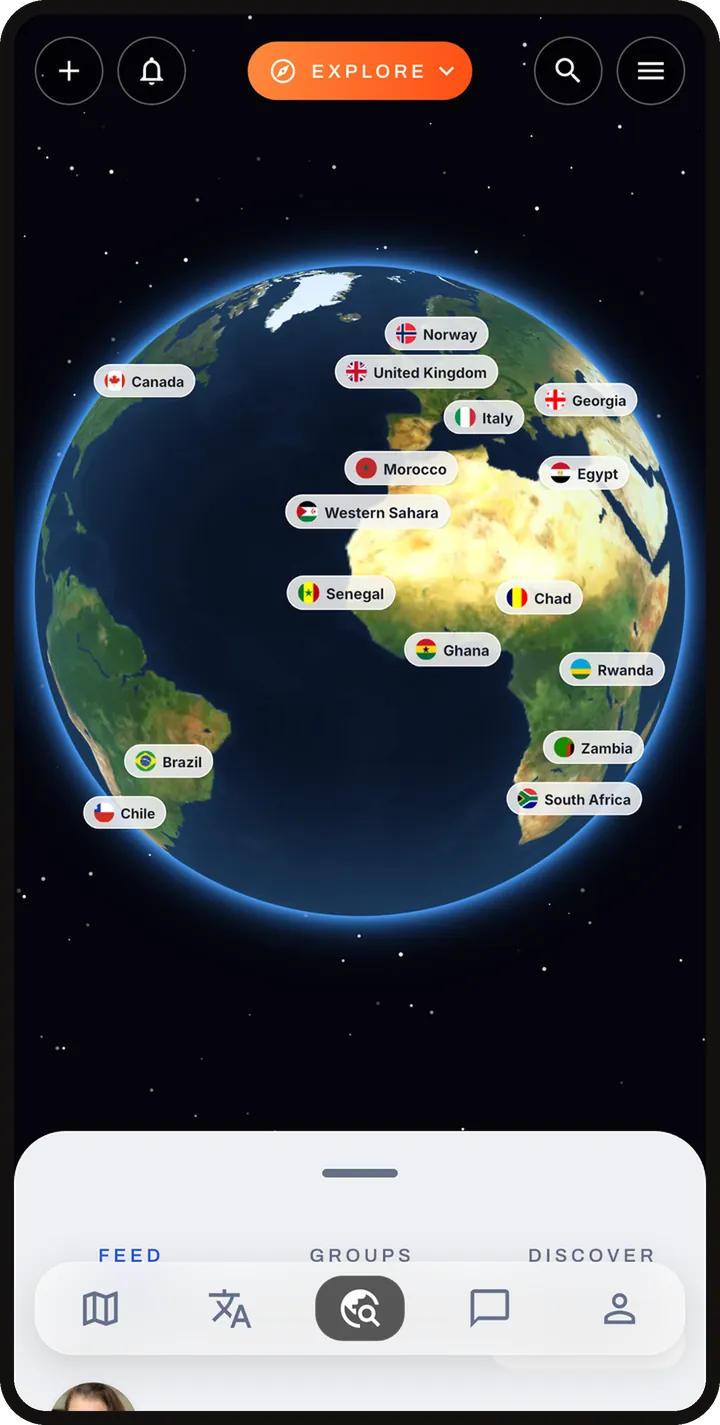
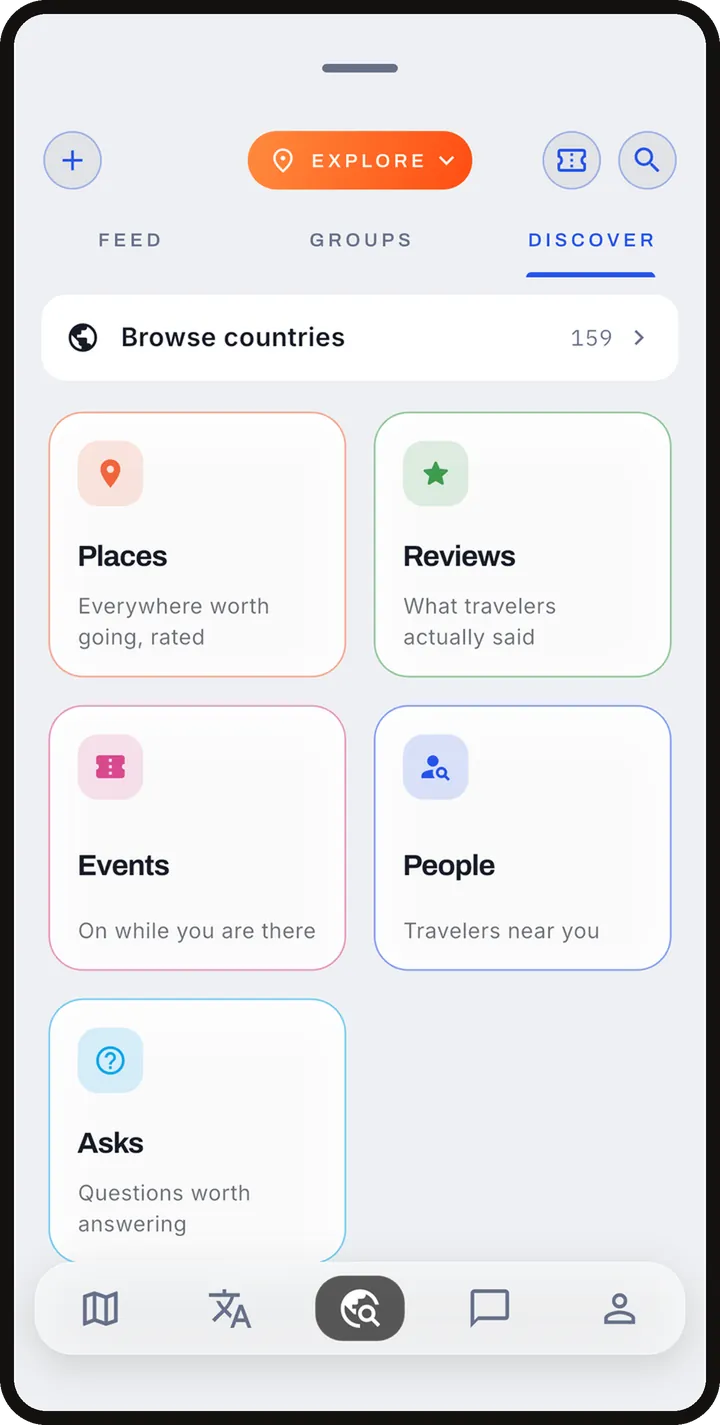
Connect opens on a globe. Tap a country, then a city, and read what travelers have posted there.
- Feed: posts, photo carousels, trip montages, asks (questions, optionally with a poll) and shared trip ideas, ranked for you by interests and where you are. Like, comment and react with GIFs. You can edit your own posts and reviews.
- Discover: people, community events (with RSVPs) and groups around a destination.
- Groups and communities: gather around a city, a team or an interest. Watch Parties help fans find each other for a game.
- Reviews of places by travelers.
- My Profile: your name, photo, home city, languages and interests. New accounts are discoverable by default; one switch turns that off.
- Messages: direct messages and group threads, filterable by people, trip chats, event chats, groups and the AI assistant. Hotels, tours, events and itinerary blocks can be shared into a chat as cards.
- Meeting travelers: send a connection request and the other person accepts, or connect instantly by showing your QR code. Requests and trip invites arrive in Messages.
Live location sharing
Share your live location with people you are connected to, for an hour, a day or the whole trip. They see where you are, the address and directions to you. It is opt-in, goes only to the people you pick, and ends on the schedule you choose. Sharing with up to five people is part of Traveler+. You can stop at any time.
Explore: city guides
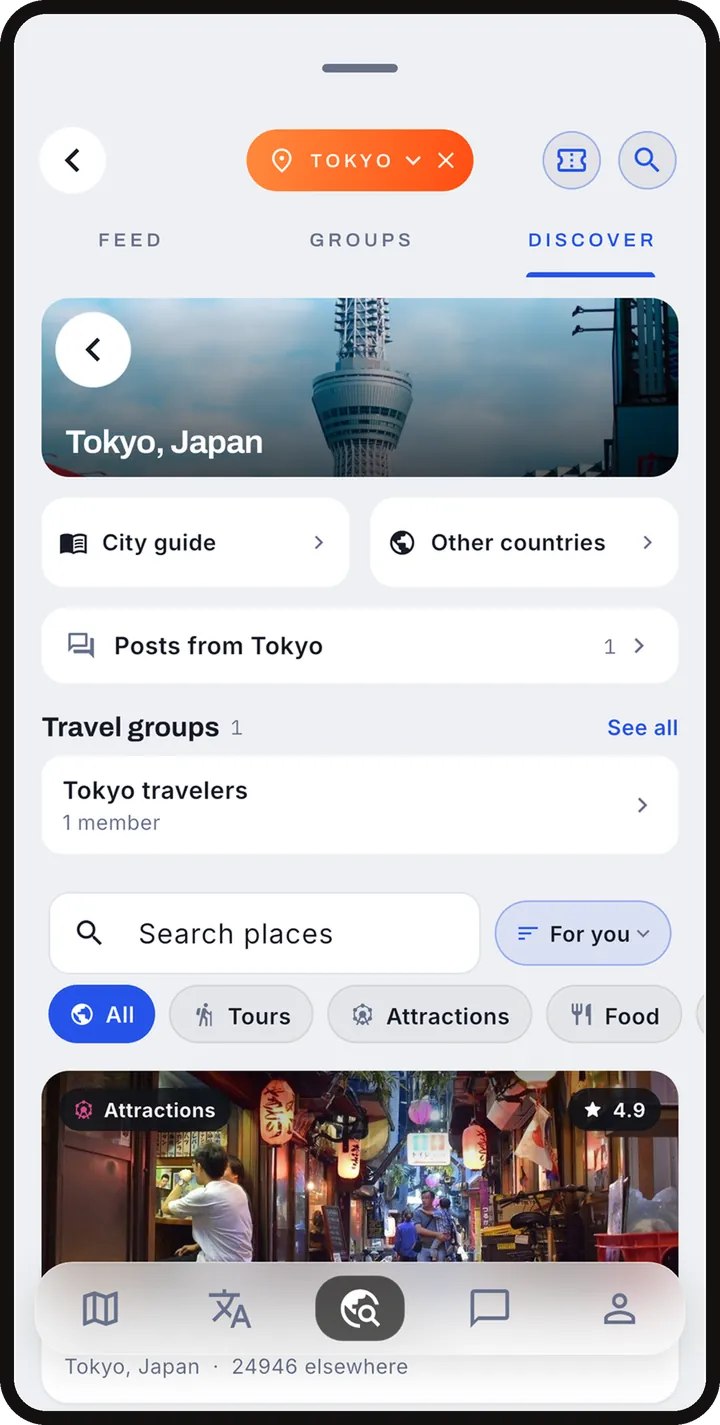
Hundreds of city guides, each opening on a short film of the place, then landmarks, picks, tours, food and a map. Guides also carry weather and what to wear for your month, and local emergency numbers. Once a trip is saved for offline, its guides and advisories work without signal.
For a run, trail, gym with day access or bike rental near where you are staying, open Stay active on your trip.
Documents and email filing
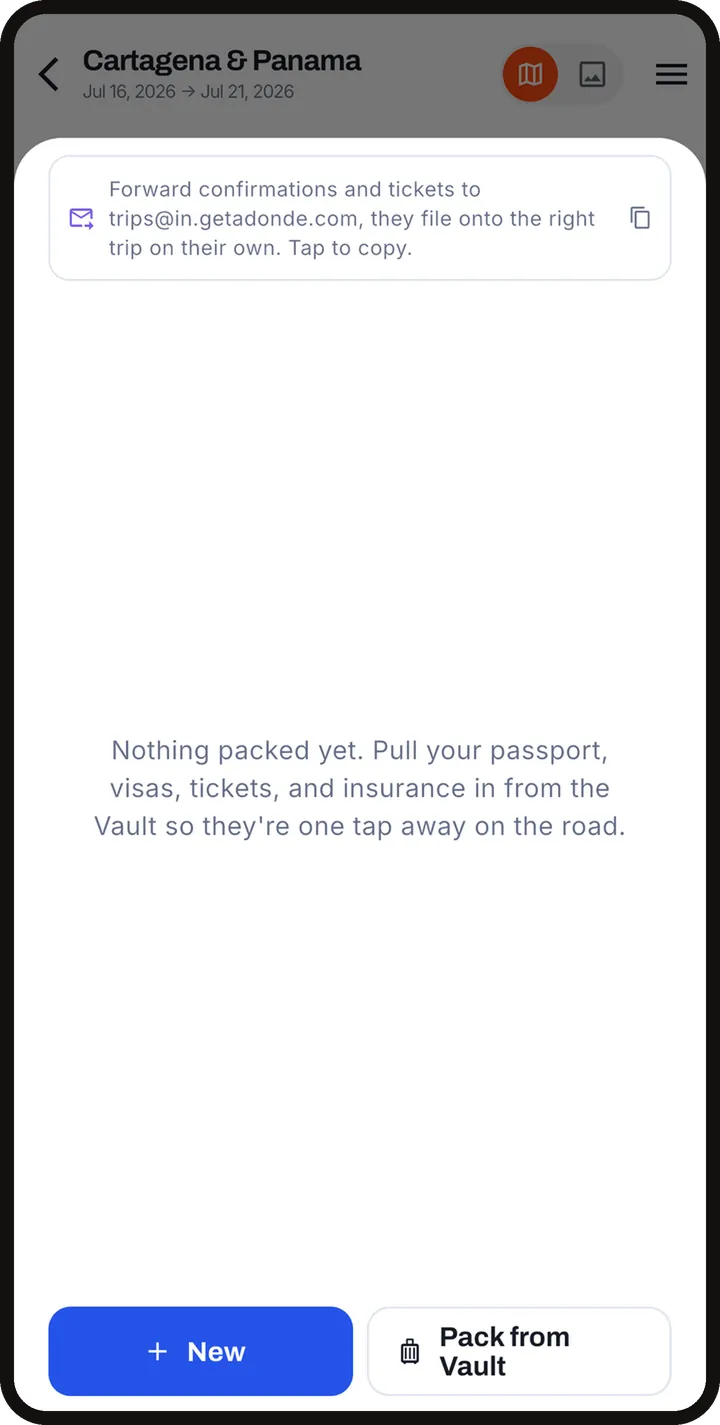
The lock icon opens the Vault, a private store for passports and other travel documents. You can scan documents with the camera. Vault documents are encrypted and sync only to your own devices.
Trip documents open from the Docs cell on the trip's reservations strip. Confirmations for anything booked in the app file themselves there. For anything booked elsewhere, forward the confirmation email to trips@in.getadonde.com from the address on your account. It files the booking onto the right trip. You can also import a confirmation email from Account.
Trips and documents are stored on your phone, so they open with no signal. Use the trip's offline save to also keep map tiles and photos for the places you are going.
Stories and sharing
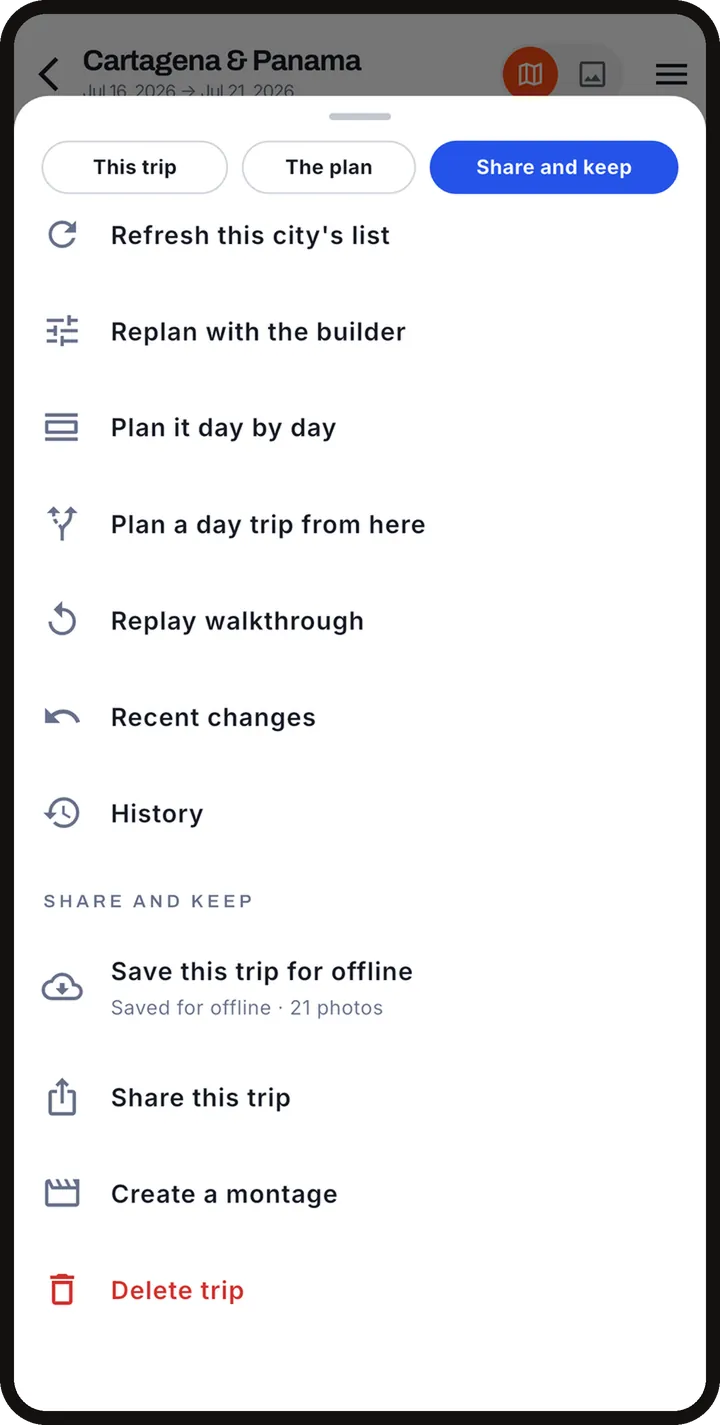
- Montage reels: turn a trip into a video with music and a map that follows your route, sized for Reels, Feed or Square.
- Share to Instagram, TikTok, Facebook or Snapchat, or straight into an in-app chat as a preview card.
- Trip story from photos: the trip's photo icon builds a story from the photos you took during the trip dates.
- Shared trip links: from the trip menu choose what to share: the whole trip, one city or one day, as a picture and a link, the plan for someone coming along, or a file to keep. A link opens a web preview for people without the app. Signing in is needed for a read-only link.
Voice assistant and phone line
Tap the microphone to talk to the assistant or type instead. It can show you where things are in the app, open the trip builder, translate a phrase and convert currency. You pick its voice. Conversations land in your chat history. Its answers come from AI, so check anything important.
There is also a toll-free AI phone line, +1 855 554 2857, for help using Adónde. For account or booking problems, email support@getadonde.com.
Safety, rip-off check and currency
- Advisories: official US State Department travel advisories for each country on your trip, with the level and a link to the full page, which also covers entry rules. Adónde does not issue visas or promise entry anywhere.
- Free ideas in the plan carry a safety read (relaxed, stay aware, daylight only).
- Rip-off check: the Spend tab can check whether a price looks fair for the place.
- Currency: convert any price to your home currency, set in Account, and split costs with companions. Ask the voice assistant for quick conversions.
- Safety contacts: loved ones you can reach quickly are kept on your device.
Traveler+
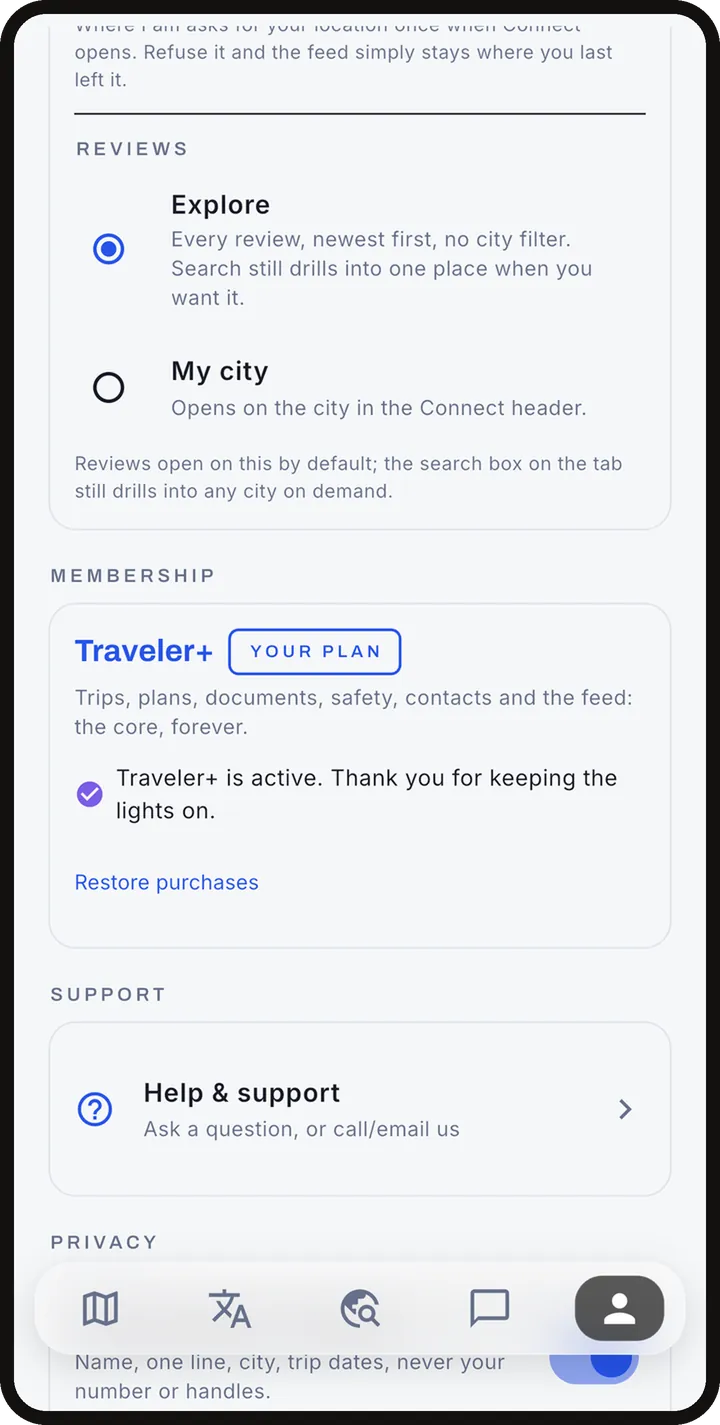
The core app is free, with one AI-built trip included. Traveler+ adds unlimited AI builds and rebuilds, the AI scheduling assistant, the live interpreter and camera translation, 150 offline phrases and offline maps, flight tracking, and location sharing with up to five people.
There is a 7-day free trial, then $9.99 a month or $29.99 a year. The App Store or Google Play shows the exact price and any offer for your account. Start it from Account (Membership), or when the app asks after a Traveler+ feature.
Manage or cancel any time in the App Store (Settings, your name, Subscriptions) or in Google Play (Payments and subscriptions). Deleting the app does not cancel a subscription.
Account, data and deletion
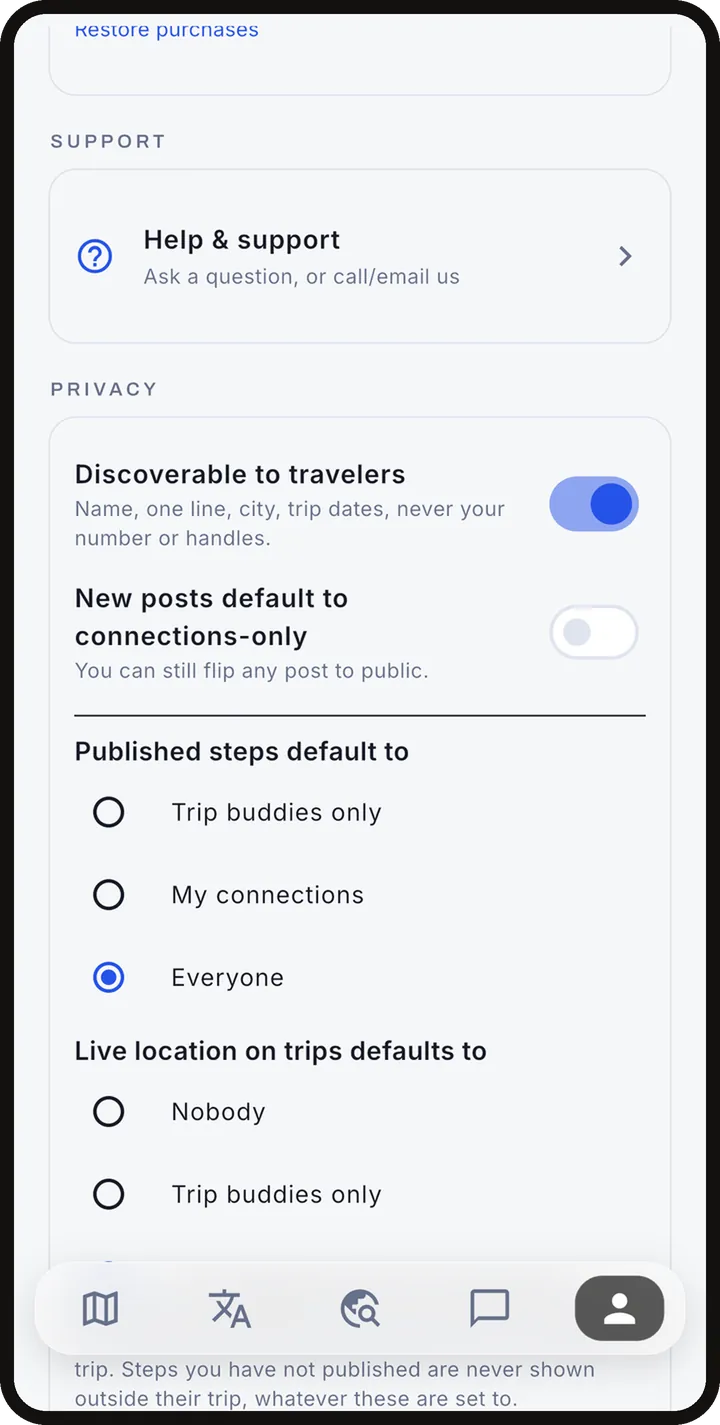
Account holds your profile, membership, language, home currency and settings, plus Sign out. Your trips and documents live on your phone and sync to your account when you are signed in. What we collect is in the privacy policy.
To delete your account, open Account, then Delete my account, and confirm. It is immediate and permanent. If you cannot open the app, email us from the account address. Details, including what partners keep, are on Delete your account.
Troubleshooting
- Trips not syncing: check you are signed in to the same account on each device and that you have a connection, then reopen the app.
- No sign-in code: check spam, wait a minute, then choose Send a new code. A password sign-in is also available.
- No notifications: allow notifications for Adónde in your phone's settings. Price watch emails come only if you have a watch.
- Offline: trips, documents and saved phrases open with no signal. Maps need the offline save done beforehand, and the interpreter, AI features and live prices need a connection.
- A map looks blank: map tiles need a connection unless saved offline. Try again.
- A tour "runs on none of your days": pick another tour or another day.
- A hotel or flight provider did not answer: try again in a moment. It does not mean there are none.
- Still stuck: email support@getadonde.com with your account email and the trip involved.